
Manage the Presidential Physical Fitness Test with PhysednHealth
The requirement is simple: one qualifying event from each of three categories. The administration is not. PhysednHealth lets teachers start with three tests, offer all six for student choice, or use any combination in between—then keeps benchmarks, qualification, growth, reporting, and certificates connected.
Choose the tests students can complete
3 categories required
Start with a testing approach
Use the same three tests for everyone, or make all six available for student choice. Teachers can customize any combination afterward.
Core
- Curl-Ups
- Plank
Cardio
- One-Mile Run
- 20m Beep
Upper Body
- Push-Ups
- Pull-Ups
Core
- Curl-Ups
- Plank
Core
- Curl-Ups
- Plank
Core
- Curl-Ups
- Plank
3 categories ready · 3 tests selected
All 6 in one click
Why Use PhysednHealth for the Presidential Physical Fitness Test?
The PDFs give you certificates. PhysednHealth manages everything that has to happen before them.
PhysednHealth provides Presidential Fitness Test software for schools that connects event setup, scoring, benchmarks, growth tracking, qualification, reporting, and certificate preparation in one workflow. A teacher can absolutely run the test manually; the value is removing the repetitive administration around it.| WHAT HAS TO HAPPEN | DOING IT MANUALLY | WITH PHYSEDNHEALTH |
|---|---|---|
| Set up the available events | Build and organize separate test sheets, then decide how to handle student choice. | ✓ Start with one event per category or make all six available in one click, then customize any 3–6 event combination. |
| Apply benchmarks | Look up the right benchmark for each student and event. | ✓ Apply the configured age- and sex-based benchmark automatically. |
| Track repeated testing | Reconcile Pre, Mid and Post scores across files or spreadsheets. | ✓ Keep each testing cycle and the best qualifying attempt connected. |
| Determine award status | Check each student's qualifying event across all three categories. | ✓ Update category and award status as scores come in. |
| Fill certificates | Download PDFs and fill student names individually or manage a separate merge process. | ✓ Generate the right certificate for a class with student names already filled. |
| Show growth & evidence | Build your own report from the underlying score data. | ✓ Move directly into student/class reports and a verified achievement record. |
Flexible event setup
Use the same three events for everyone, offer all six for student choice, or choose any valid combination in between.
Categories tracked
Core, Cardio, and Upper Body stay visible as the system evaluates the qualifying event in each.
Pre / Mid / Post
Keep the testing history needed to show growth without losing award qualification tracking.
Class-ready output
Generate named award or participation certificate pages together for a single print workflow.
How PhysednHealth Manages the Presidential Physical Fitness Test
Choose events once
Start with three tests, offer all six in one click, or customize 3–6 events. PhysednHealth keeps them together under one Presidential Fitness assessment.
Score your way
Use the method that fits the class rather than forcing every teacher into one data-entry workflow.
Let the system track it
Benchmarks, category status, best qualifying attempts, missing results, and repeated testing stay connected.
Use the results
See growth, produce student/class reporting, generate certificates, and preserve the evidence behind achievement.
Presidential Fitness · Student Progress
Post Assessment
Core
Met via Plank
Pre
Post
Cardio
Met via Beep Test
Pre
Post
Upper Body
Met via Push-Ups
Pre
Post
Turn each student's selected events into something teachers and leaders can actually use.
Show growth, not just pass/fail
Pre, Mid and Post scores remain available so teachers can demonstrate improvement over the year.
See who still needs a category
The class view can identify students with an incomplete or not-yet-qualifying category without treating unselected alternative events as missing scores.
Keep award tracking separate from growth
A student's best qualifying attempt can count toward award status while repeated scores still show the growth story.
Move from teacher data to school evidence
The same score record can support report cards, class summaries, certificates, and a verified achievement record.
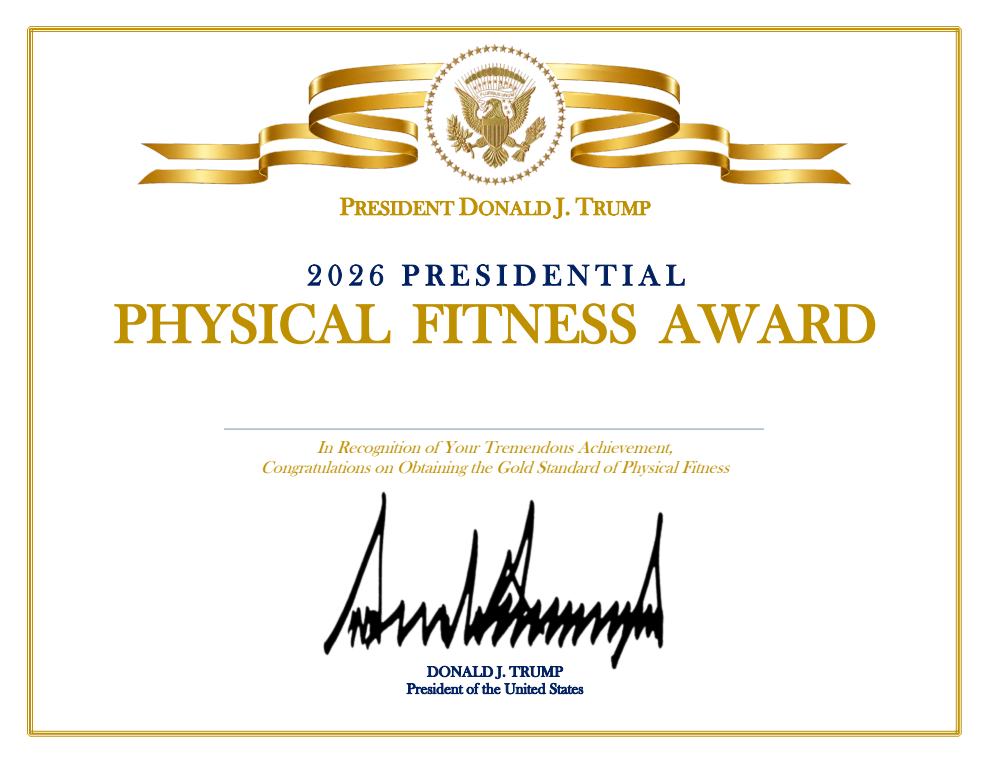
Physical Fitness Award
For students meeting all three categories
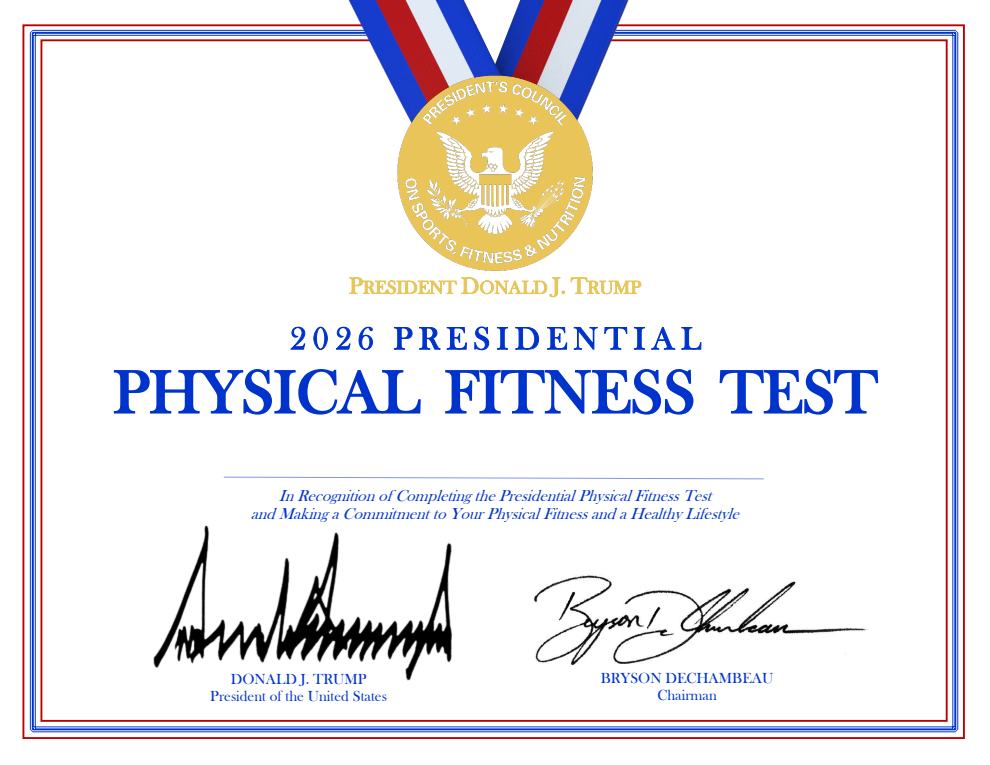
Certificate of Participation
For students who completed the test
PhysednHealth gets the whole class to this point.
Once assessment data is in the system, award status can drive the class certificate output instead of requiring the teacher to determine eligibility and fill each PDF separately.
Official certificate output
Qualifiers receive the Award certificate; students who completed the test can receive the Participation certificate. Names can be populated for the class.
PhysednHealth Verified Achievement Record
The recognition certificate does not carry the student’s underlying qualifying results. PhysednHealth can keep a separate school-verified record of the assessment evidence behind the achievement.
PhysednHealth
PHN-PFA-2026-847291
PRESIDENTIAL PHYSICAL FITNESS TEST
Verified Achievement Record
Not another certificate. Less administrative work and better evidence.
For teachers
Less setup, less benchmark lookup, flexible scoring, fewer separate spreadsheets, and faster class certificate preparation.
For schools
A consistent Presidential Fitness workflow with student progress and evidence attached to the same assessment record.
For districts
A repeatable way to set Pre/Post expectations and see implementation and growth without asking every teacher to build their own system.
Download the certificates if that is all you need. Use PhysednHealth if you need to manage the testing.
See how flexible 3–6 event setup, one-click student-choice selection, category-based qualification tracking, Pre/Post growth, class certificates, and verified achievement records work together.